Recover a manifest from the QR code
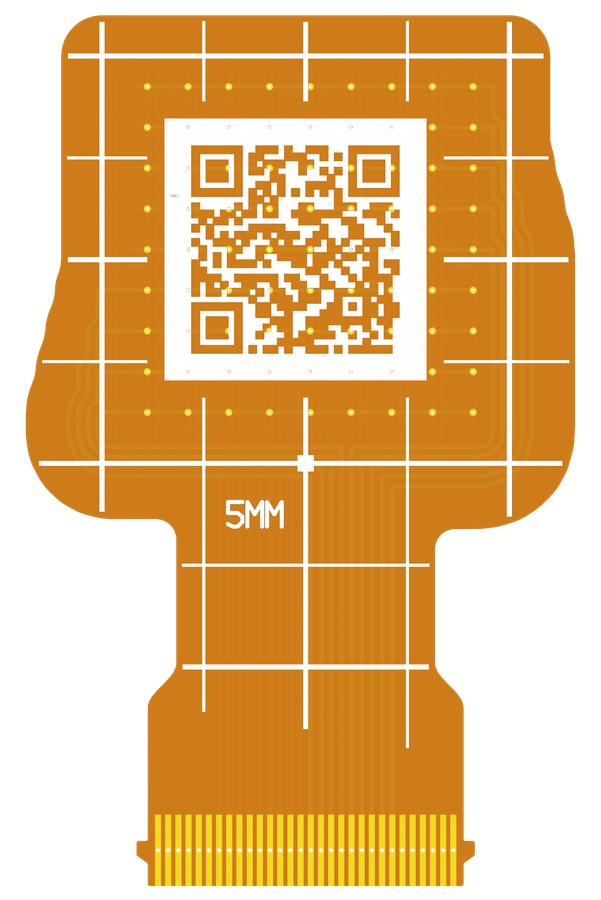
OpenTac-CAD includes a QR code on the back silkscreen when the board has sufficient space. It encodes the taxel grid, connector-pad assignments, active taxels, positions and footprint. This provides enough information to reconstruct a manifest for readout if the original design files are unavailable, subject to the omissions described below.
Decode with a phone
Scan the code with a phone camera and open its opentac.github.io/q/... link. The QR decoder page reconstructs the sensor in the browser and provides a Download manifest.json button. It also displays the taxel layout, electrode geometry, scan indices and connector-pad assignments, followed by the encoded fields and their bit allocations. Decoding is performed locally in the browser.
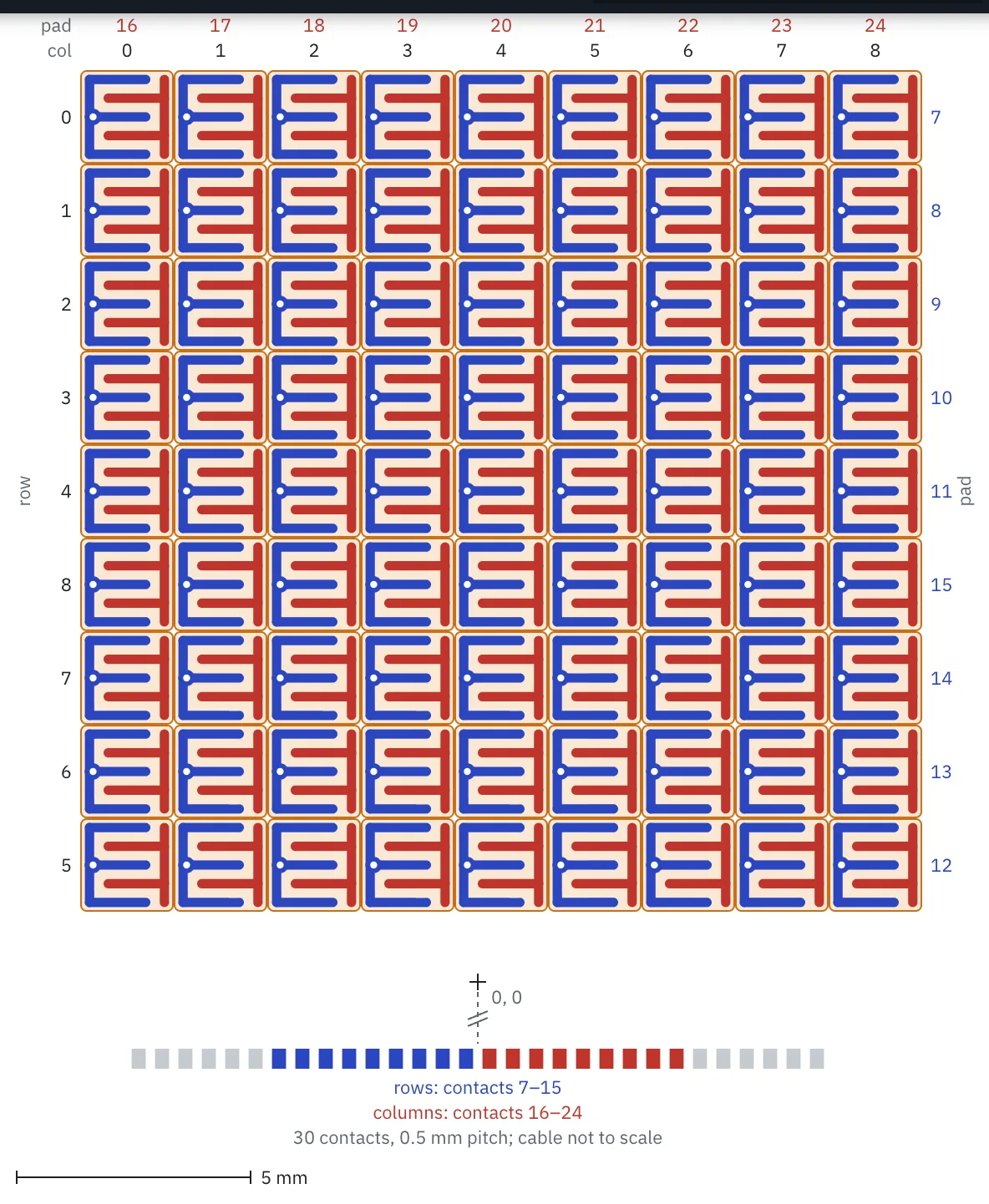
Upload the recovered manifest to configure the readout board:
To see what a code holds without a sensor, open the code of the 9 x 9 patch example design in the decoder. The decoder page links a few more.
Decode from the command line
Any QR scanner app gives the code's text. Rebuild the manifest from it:
uv run opentac manifest from-qr 'PASTE-THE-TEXT-HERE' -o my_sensor.json
uv run opentac setup my_sensor.json
The text can be the whole link (HTTPS://OPENTAC.GITHUB.IO/Q/..., in any case,
with or without https://) or, on a small board, the bare code. Use single
quotes: the text can contain $, which a shell expands inside double quotes,
and *, which it expands when unquoted. A bare code that starts with - reads
as an option; put HTTPS://OPENTAC.GITHUB.IO/Q/ in front of it.
In Python:
from opentac import manifest

m = manifest.from_qr(text)      # the link or the bare code
m.save("my_sensor.json")
The decoder page and the command line write the same file, byte for byte.
Codes on small boards
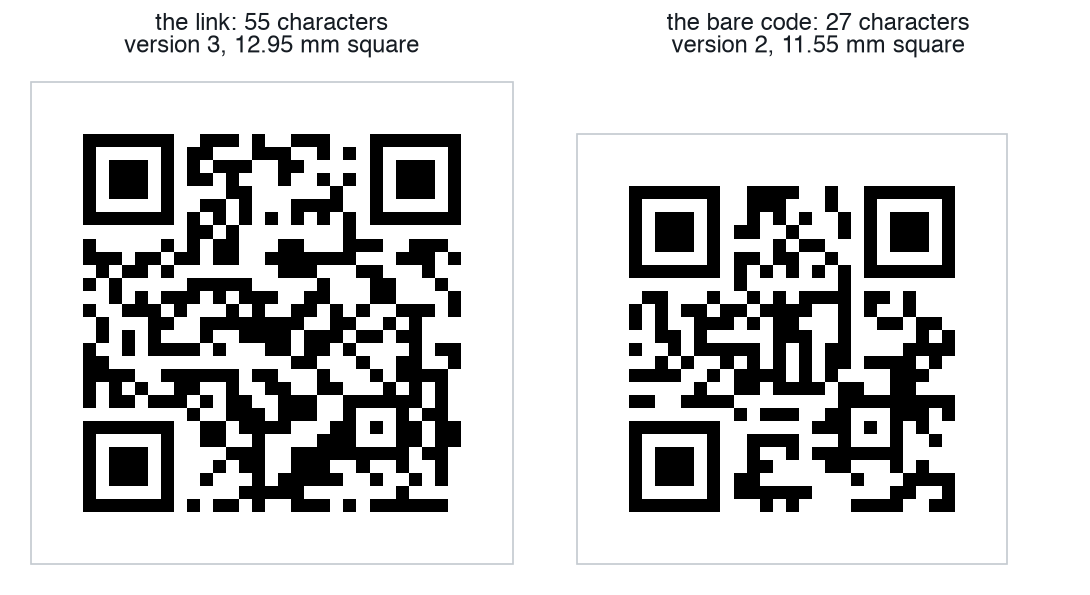
The link adds 28 characters to the code, which makes the QR one version
larger (two on 1 of the 31 example designs), 1.4 mm more on each side per
version. A board without room for the link inside its outline gets the bare
code instead (27 characters for the 81-taxel example sensor, 36 to 39 for
sensors of about 100 taxels); a phone shows it as text rather than a link.
Paste that text into the QR decoder page or pass it to
opentac manifest from-qr. A board without room for either gets no code. All
31 example designs have room for the link.
Recovered fields and limitations
A recovered manifest has the same rows, columns, pads and taxel mask as the original. The QR stores the grid origin and pitch to 0.01 mm, so every taxel is within 0.005 mm of its original position when the pitch is a whole number of 0.01 mm. A pitch with a third decimal moves the far taxels further: up to 0.12 mm on the example designs whose pitch was raised to fit the readout board. This representation supports taxel readout and display, but omits the fields listed below.
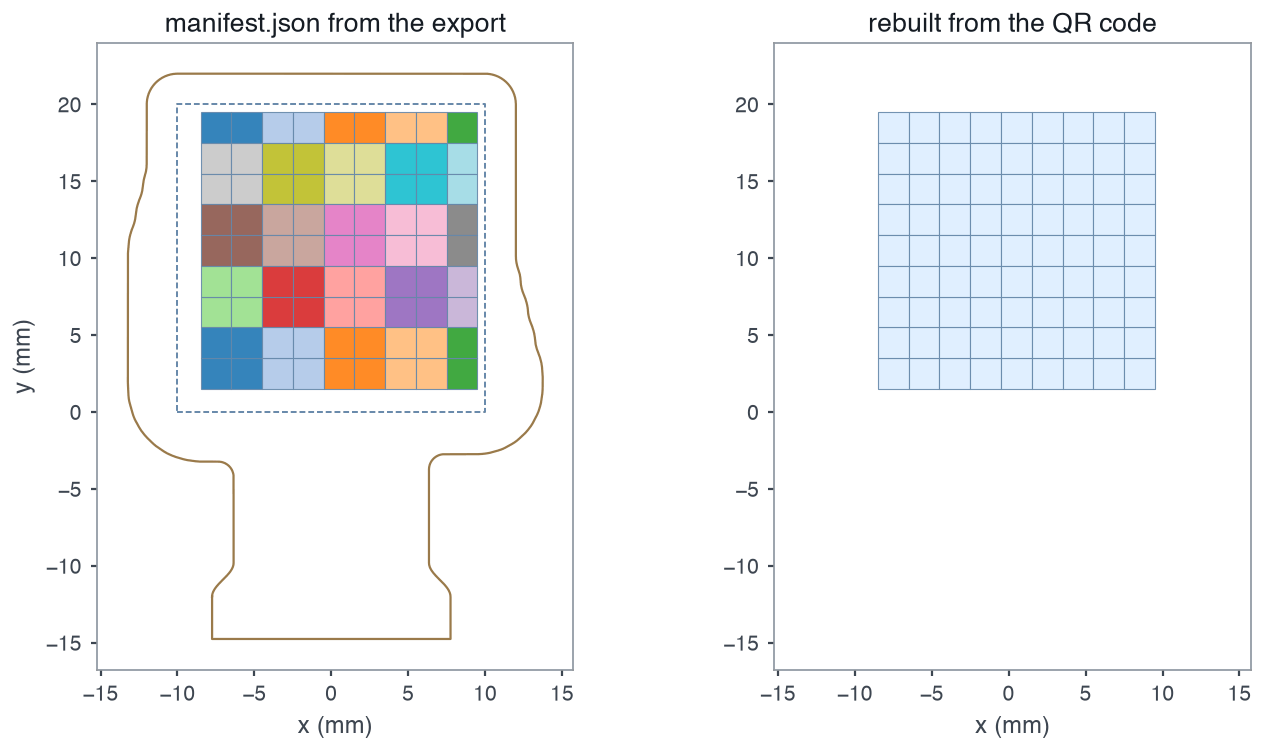
opentac manifest from-qr rebuilds from its code: the same rows, columns and positions (here 0.000 mm apart, at a 2 mm pitch), without the outline, the board edge or the bump groups.The QR payload omits:
outlineandedge_cuts, the sensor's drawn shape and cut edge,design, the recipe OpenTac-CAD needs to rebuild or edit the board,shear, which taxels share a shear bump, so there are no shear arrows.
Scanner apps sometimes trim or lowercase the text; both still decode. The text carries a checksum, so a truncated or mistyped text is almost always refused rather than decoded into the wrong pads: 8,997 of 9,000 random one-character changes were refused in a test. Scan the code rather than type it.
The recovered file is not byte-for-byte the original, so the board stores it
under a different ID. If you find the original manifest later, run
opentac setup with it again.