Design with an AI agent
OpenTac-CAD can also be used through a coding agent. Given a description of the target surface and cable exit, the agent determines the surface dimensions, constructs an outline and calls the same compiler used by the graphical tool. The repository provides a skill with the design conventions, commands and checks needed for this workflow. The output includes KiCad files, Gerbers and a sensor manifest, which can be inspected or edited in OpenTac-CAD.
Configure the agent
- Clone the repository (Get started).
- Claude Code: start
claudein the repository folder. It loads the skill from.claude/skills/opentac/by itself. - Other agents (Codex, Cursor, Gemini CLI, ...): they read
AGENTS.mdat the repository root, which points them to the skill's instructions,SKILL.md.
The agent invokes the CAD compiler through the repository's environment (uv run python ...), using the same package versions as the graphical tool. CAD generation runs locally; the coding agent's own processing and data handling depend on the agent and provider you use.
Specify the design request
Specify the contact surface, the cable-exit location, and whether the board outline must remain fixed. Where a design choice is ambiguous, such as which of two plausible dimensions to match, the agent asks before generating. The following prompts were used in the paper:
Tactile skin for the fingertip pad of an Allegro Hand, cable running down toward the palm.
A pressure-sensing sole for the foot of a Unitree G1 humanoid robot.
Tactile skin for the palm of a Shadow Dexterous Hand, cable exiting at the wrist.
A sensor shaped like the state of Massachusetts, 120 mm wide, cable on the southern edge.
The agent can also start from a DXF outline or an STL part: give it the file and say which surface to cover.
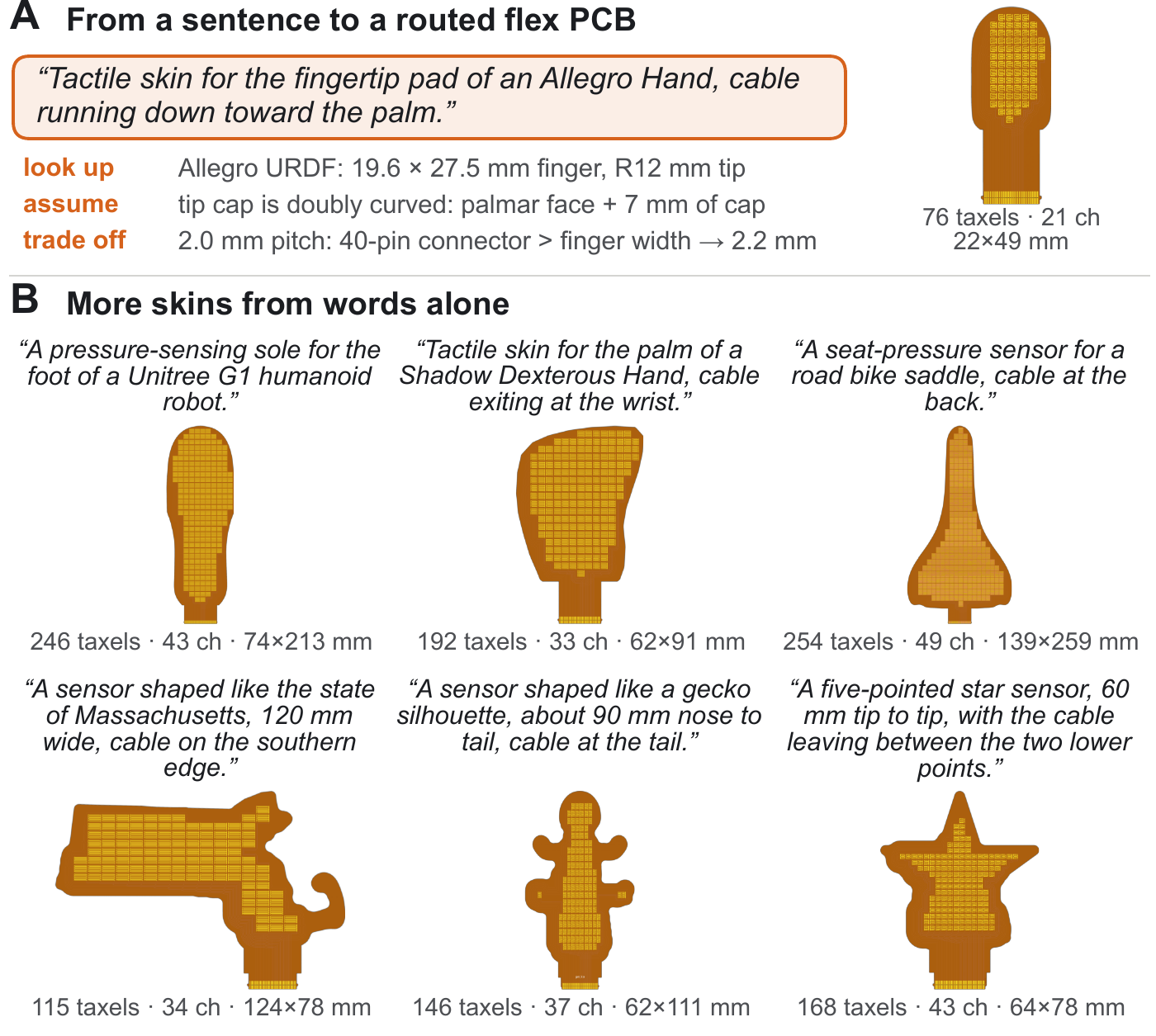
Inspect the generated design
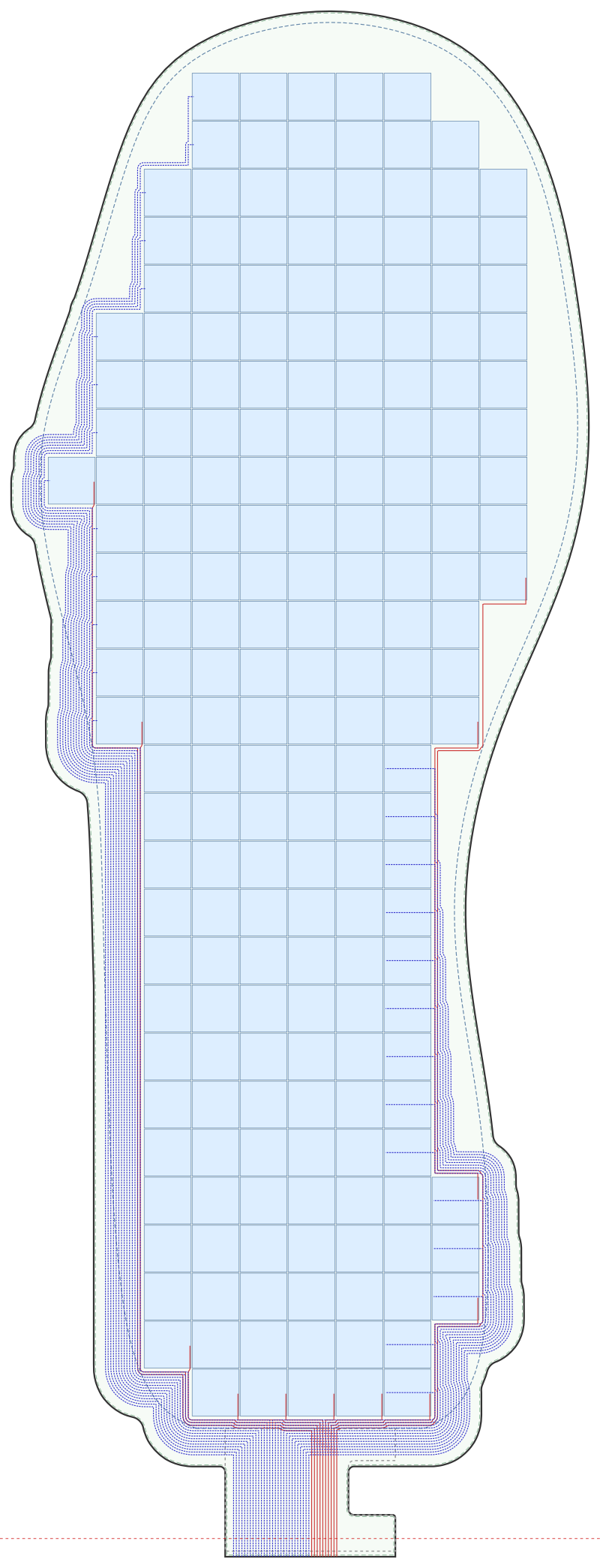
preview.svg from the skill's worked example, a size 9 insole with the cable at the heel: 200 taxels of 8.4 mm in 28 rows and 10 columns.Review the generated layout and the agent's reported taxel count, board dimensions and design-rule checks. An electrically valid layout still needs to fit the intended part:
- inspect the board boundary, taxel coverage, connector and routing in the generated preview;
- print the 1:1 PDF from the export and hold it against the part;
- confirm the connector matches your readout board.
You can also open the agent's design.json (or the whole ZIP) in OpenTac-CAD to adjust it by hand.
Use the Describe tab
The hosted tool at /cad/ provides a Describe tab that uses the same generator and loads the result into the editor. It requires no local installation, although generation is slower than running locally and the hosted assistant cannot search the web for dimensions. To enable this assistant in a local installation, provide a Gemini API key from Google AI Studio and install the chat dependencies through the demo extra: