Order the readout board
We order the readout boards with PCB assembly (PCBA): the manufacturer fabricates the board and mounts its components. Each board's production/ directory in the code repository contains the Gerber archive, bill of materials (BOM) and component-placement file (CPL) required for this process. Choose the appropriate hardware using Readout boards, then download the corresponding files below.
As of October 2026
Option names, prices and file names below are from October 2026; the screenshots were taken on 16 October 2026 with the files in the code repository. Check the PCB assembly capabilities and assembly price pages for current terms.
Fabrication and assembly files
| Board | Folder | Gerber ZIP | BOM | Placement (CPL) |
|---|---|---|---|---|
| 60-pin | hardware/readout_60pin/production/ |
stm-i2c-60-switch.zip |
stm-i2c-60-switch_bom.csv |
stm-i2c-60-switch_positions.csv |
| 30-pin, top | hardware/readout_30pin/top/production/ |
stm-i2c.zip |
stm-i2c_bom.csv |
stm-i2c_positions.csv |
| 30-pin, bottom | hardware/readout_30pin/bottom/production/ |
sensor_30.zip |
sensor_30_bom.csv |
sensor_30_positions.csv |
The 30-pin version is two boards, so it is two PCBA orders (they can go in the same cart). Both orders include the 1.27 mm headers that stack them.
The BOM lists every part with its LCSC number (the LCSC Part # column), which is how JLCPCB matches parts. The CPL gives each part's position, rotation and side.
Configure the assembly order
Upload the Gerbers
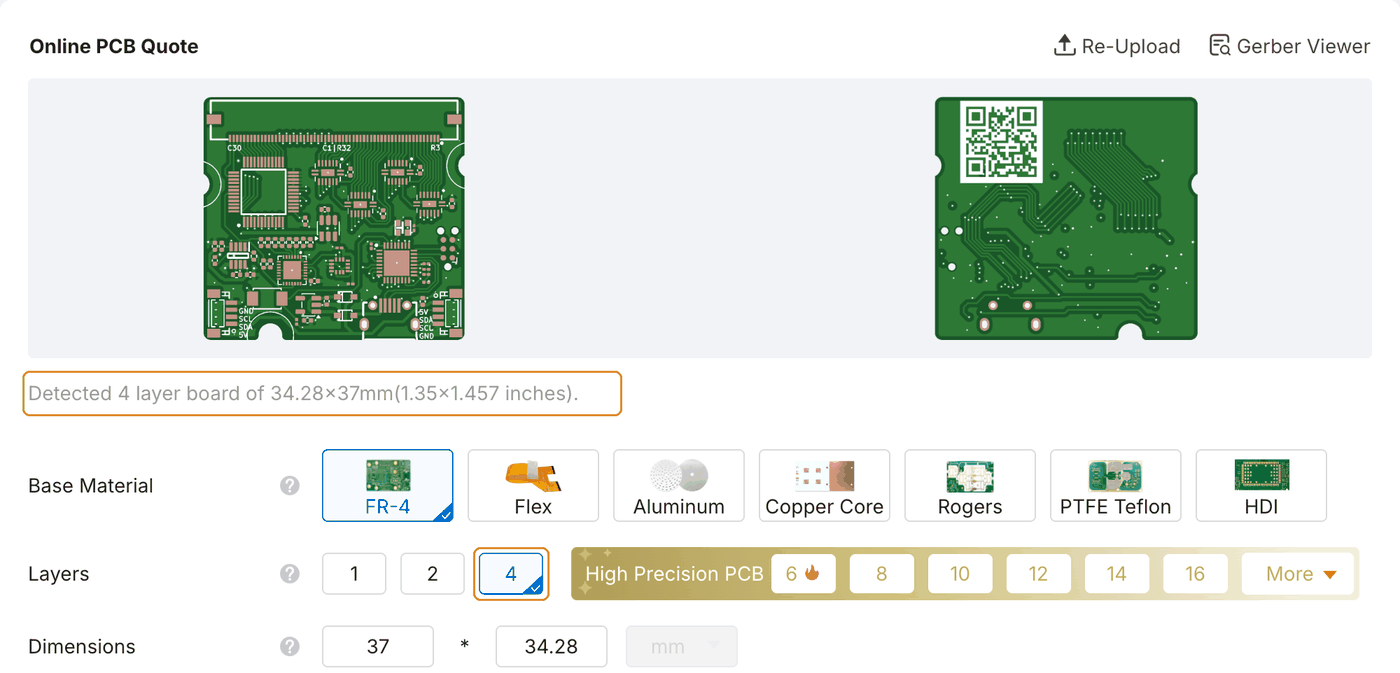
- On jlcpcb.com, start a quote and Add gerber file with the board's Gerber ZIP. Layers and size are read from the files: the 60-pin board and the 30-pin top board are 4-layer, the 30-pin bottom board is 2-layer, all 1.6 mm FR-4.
- Leave the PCB options at their defaults unless you have a reason to change them.
Assembly options
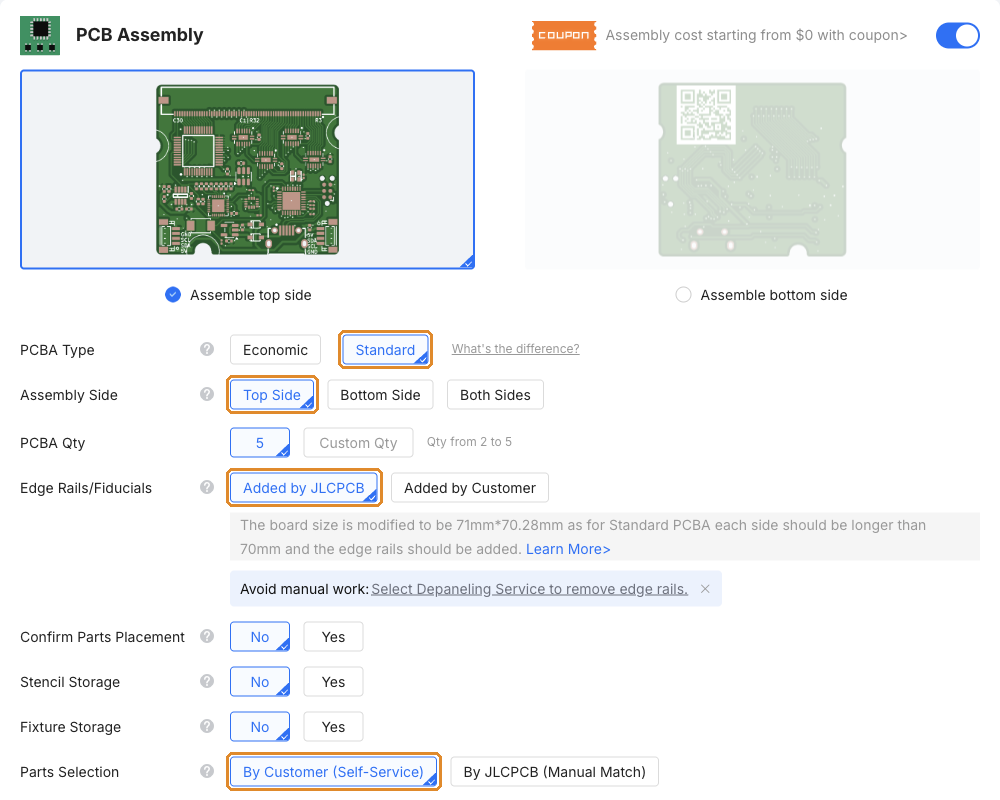
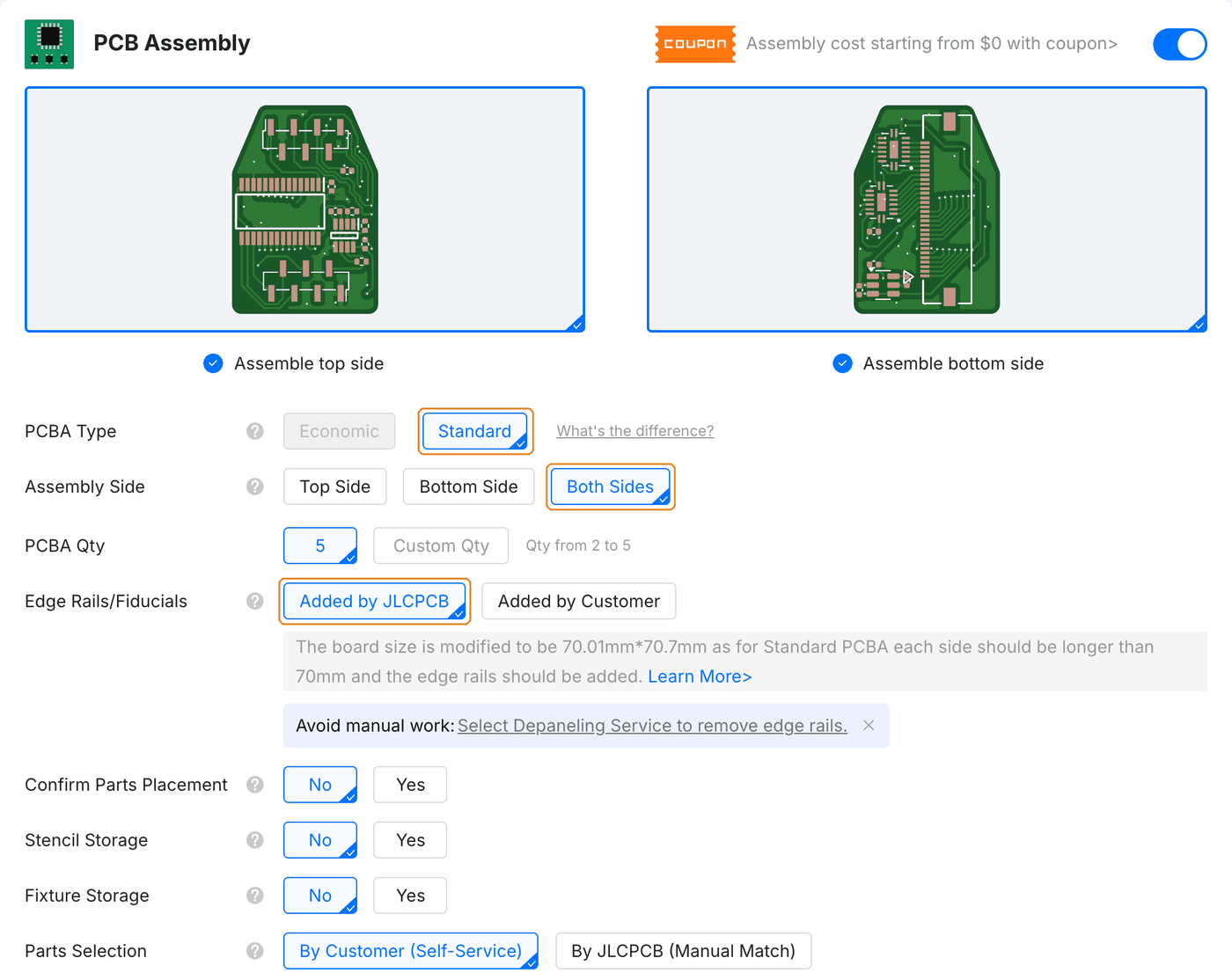
Turn on PCB Assembly with the switch on its bar, below the PCB options. Then:
- PCBA Type: Standard, for all three boards. The 60-pin board has parts on one side only, but several of them are 0201 passives, the IMU and the LED, which JLCPCB places only in Standard assembly. In Economic those lines are left unselected and the board comes back without them. Both 30-pin boards have parts on both sides, which needs Standard anyway: set Assembly Side to Both Sides for them; the 60-pin board stays on Top Side.
- Edge Rails/Fiducials: leave Added by JLCPCB. Standard assembly needs boards at least 70 mm on a side, so JLCPCB adds edge rails and prices the 60-pin board at 71 × 70.28 mm (the 30-pin boards at about 70 × 71 mm). The boards come on the rails unless you choose the depaneling service JLCPCB offers under that row or under Advanced Options.
- Parts Selection: leave By Customer (Self-Service), the free option. The steps below are for that option.
BOM and placement
Press NEXT in the price panel. JLCPCB asks you to sign in here, then walks through four tabs: PCB, Bill of Materials, Component Placements, Quote & Order.
1. PCB. A render of the board and the assembly options you chose. Press NEXT.
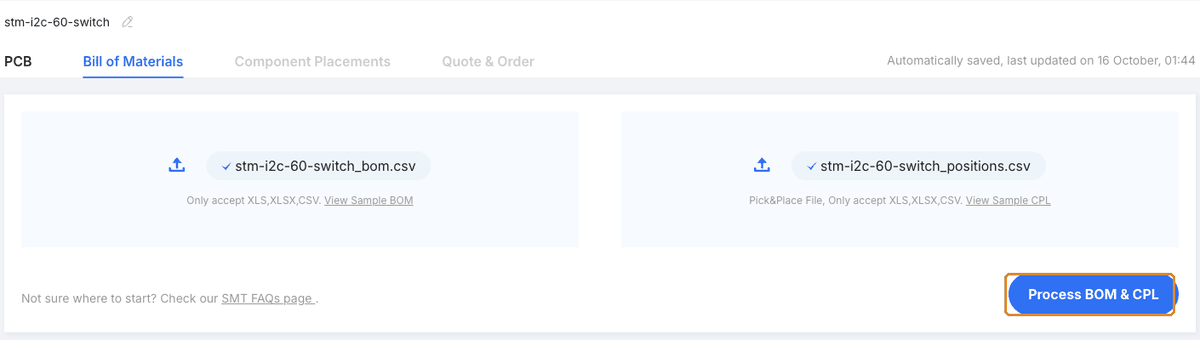
2. Bill of Materials. Upload the BOM (*_bom.csv) and the CPL (*_positions.csv) from the board's production/ folder, then press Process BOM & CPL.
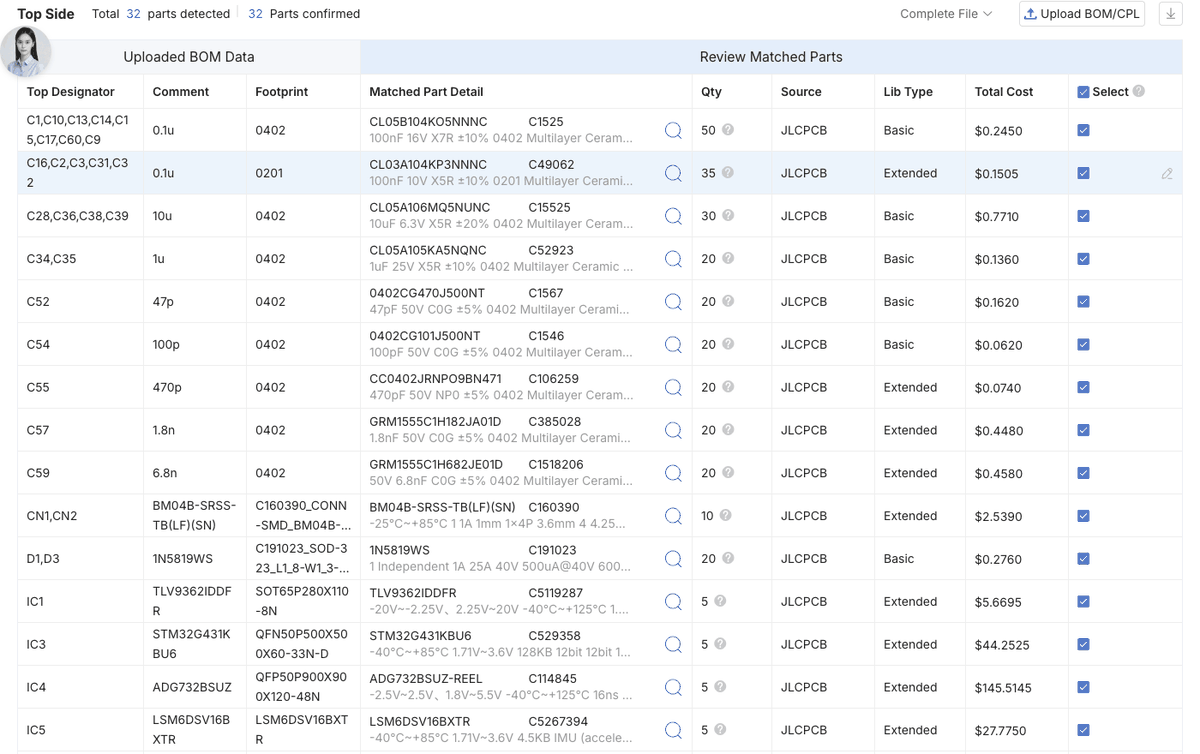
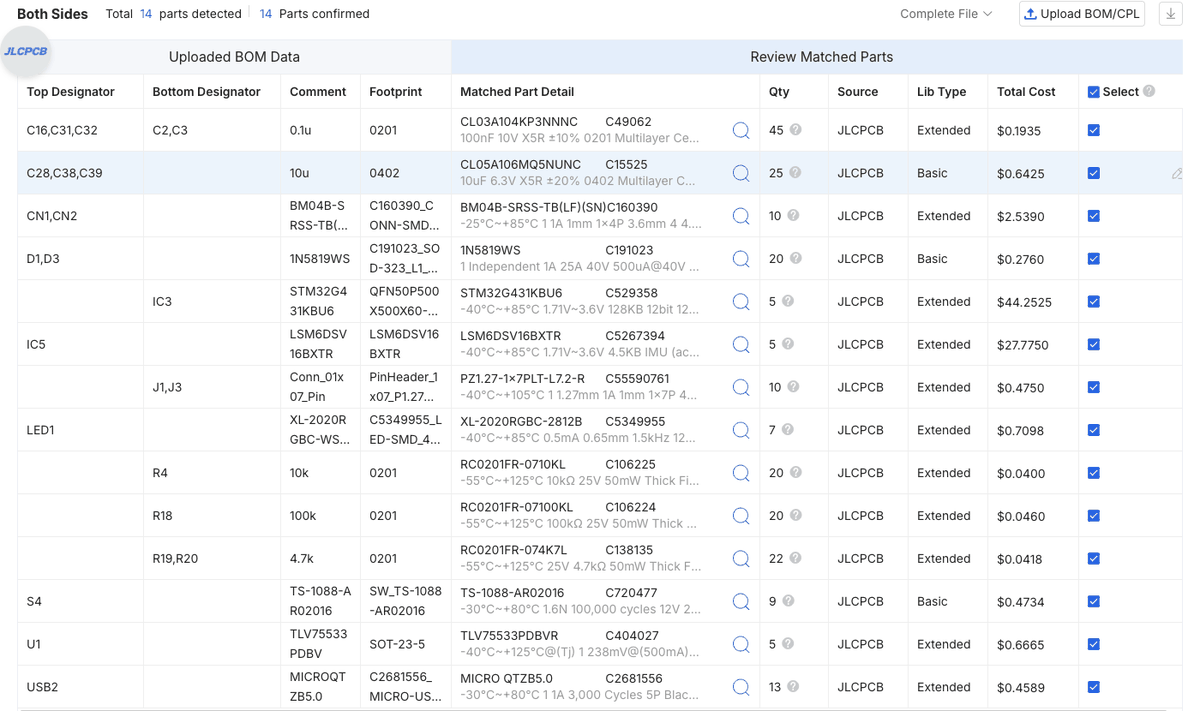
3. Verify component selection. Every BOM entry must be matched to an LCSC part and selected for assembly. The counts to expect: 32 parts on the 60-pin board, 14 on the 30-pin top board and 10 on the 30-pin bottom board, each shown as parts detected and parts confirmed. A line with no part selected needs one: search by the LCSC number from the BOM. If a resistor or capacitor is out of stock, a part with the same value, rating and package may be substituted. Do not substitute ICs or connectors; wait for stock or open an issue on the repository's issue tracker.
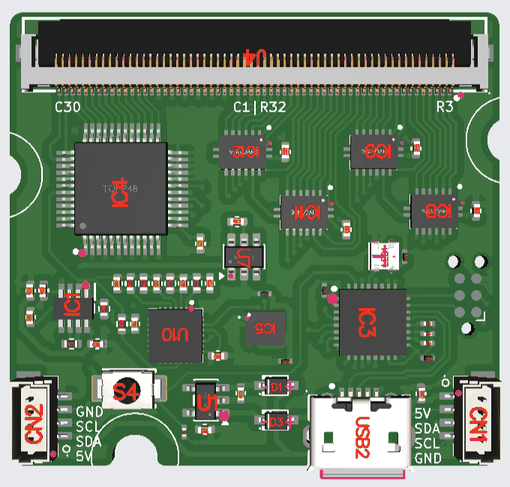
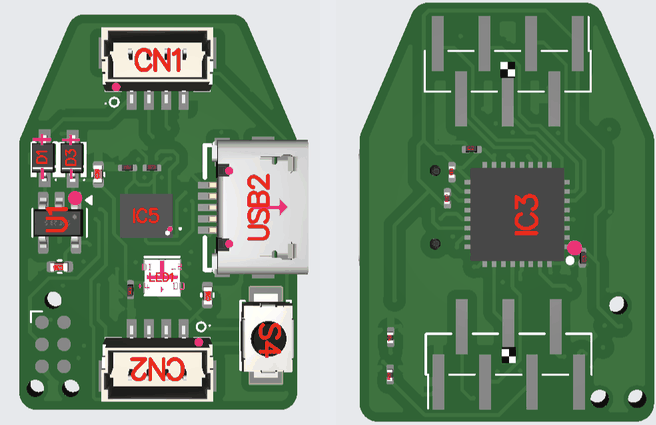
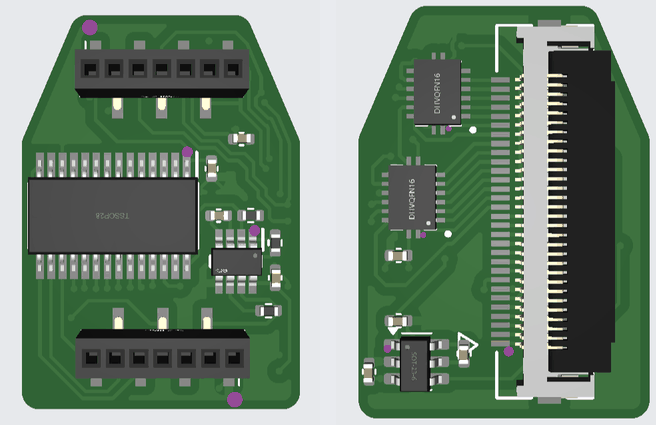
4. Component Placements. Look over the 3D preview of each side (Top / Bottom above the view): the chips' pin-1 dots against the board's marks, the connectors and the LED. If a part sits rotated or off its pads, correct it here, or set Confirm Parts Placement to Yes in the assembly options and an engineer checks placement before soldering.
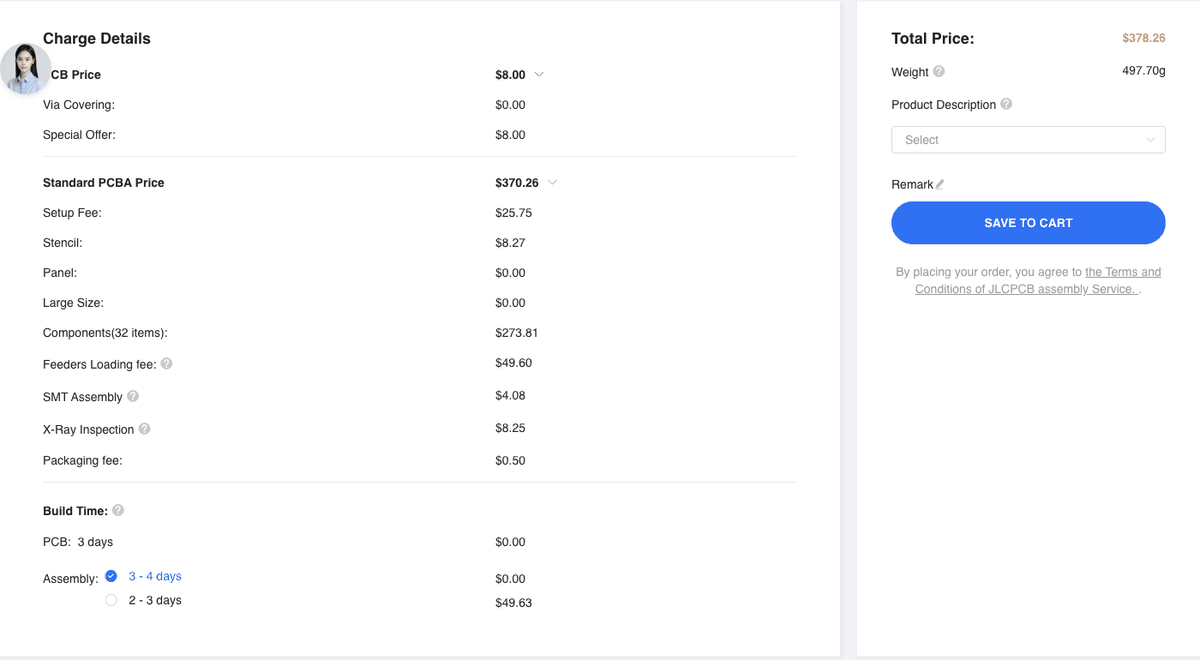
5. Quote & Order. Review the itemised fabrication and assembly charges before selecting SAVE TO CART.
Flash the assembled boards
Plug the board into USB and flash the firmware. A new board has no firmware, so the first flash needs the BOOT0 button held while plugging in; after that, the firmware can restart itself into the bootloader.