Shapes and surfaces
A flex PCB can bend around a surface, but it cannot conform to arbitrary curvature without in-plane deformation. The relevant distinction is whether the target surface can be unfolded into a flat sheet without stretching. This determines whether one continuous board can cover it, or whether the design needs cuts, facets or partial coverage.
Developable surfaces
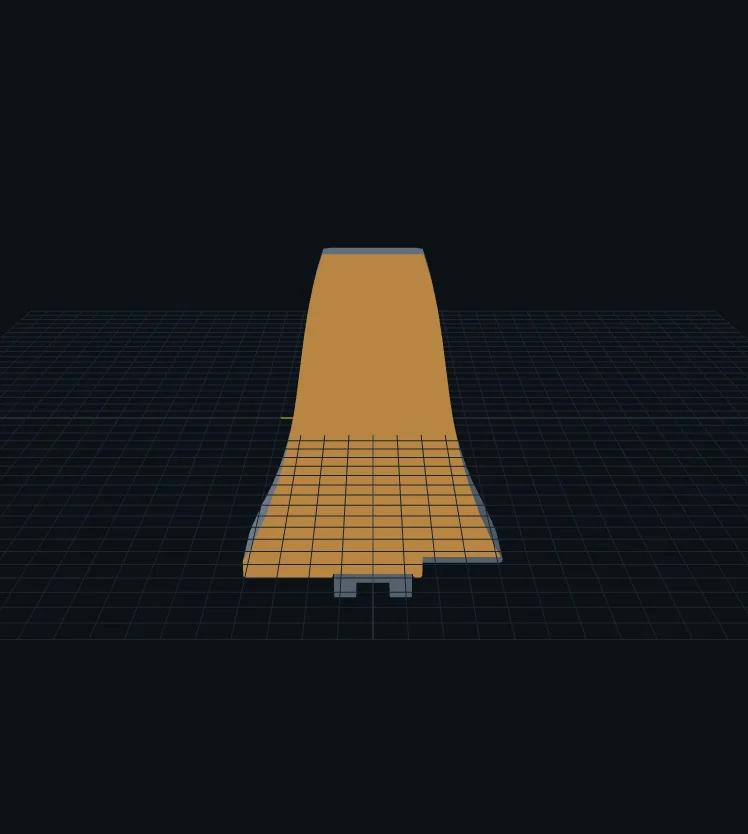
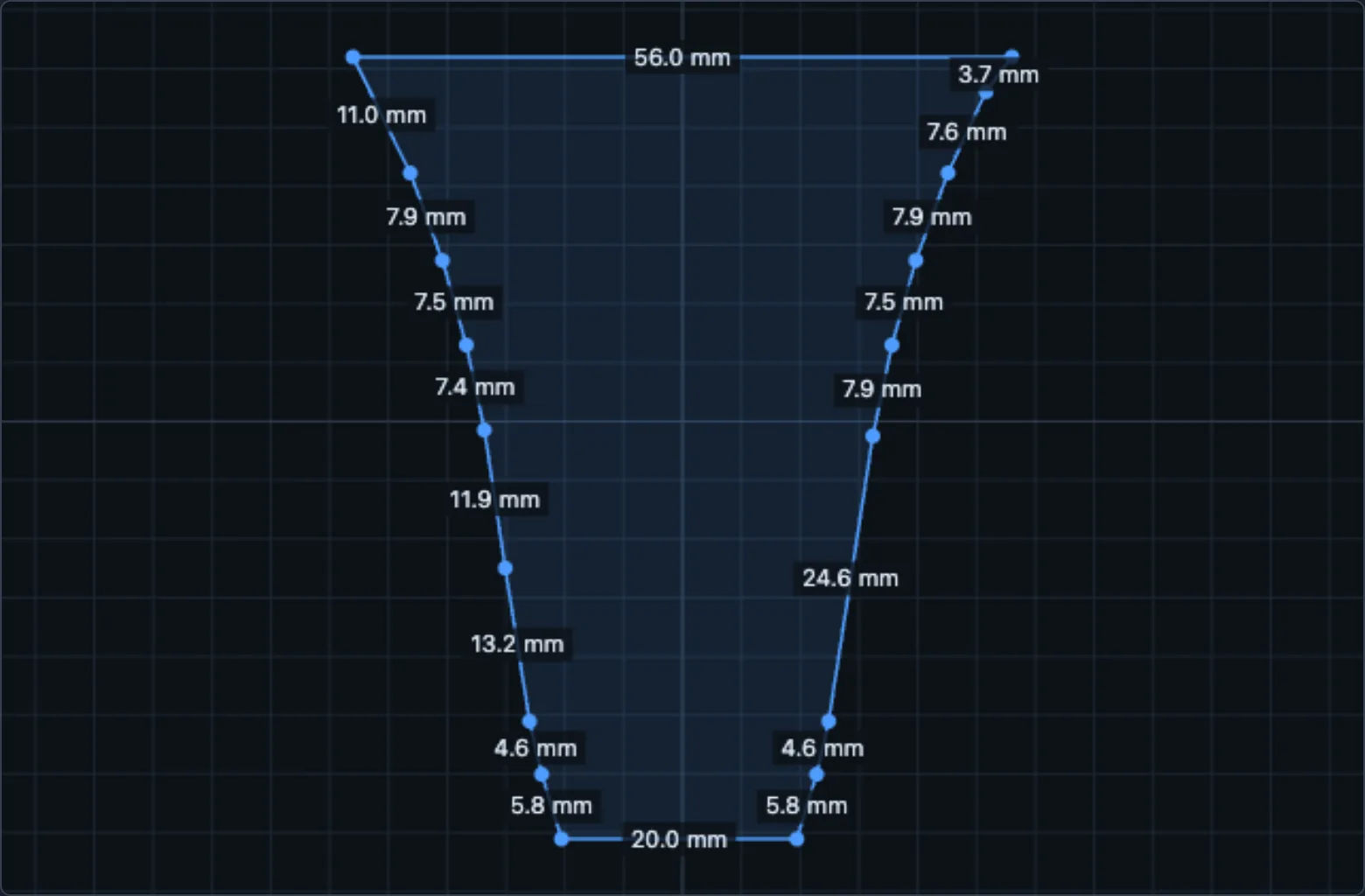
Flat and developable surfaces can be covered by a board cut to their unfolded outline. Examples include a planar gripper pad, a cylindrical surface, a cone, or a strip folded around a corner. These surfaces flatten without in-plane stretching, so their unfolded geometry provides the PCB outline.
In the STL importer, pick the surface in one of four ways:
- Single face or Multiple faces: click flat faces of the model.
- Curved surface: grow a smooth patch from a click, within a normal-angle limit.
- Draw patch: click points on the surface to outline the sensor by hand; the tool can smooth away texture such as tread patterns.
Unfold selection flattens the patch triangle by triangle at true scale. If the selection spans surfaces that don't share a mesh edge (a fingertip's front face and its two sides, say), the tool asks you to match the corners where they join, one cut at a time.
Doubly curved surfaces
Doubly curved surfaces, such as a sphere, dome, rounded fingertip cap or saddle, cannot be flattened without distortion. A continuous flex PCB therefore cannot conform to them exactly without stretching, wrinkling or cuts. For these regions, change the surface approximation or restrict the coverage.
There are three practical options:
- Split it into flat facets. Model the curved region as a set of flat faces, and design the sensor over those faces. The facets fold along straight lines, which a flex PCB does well.
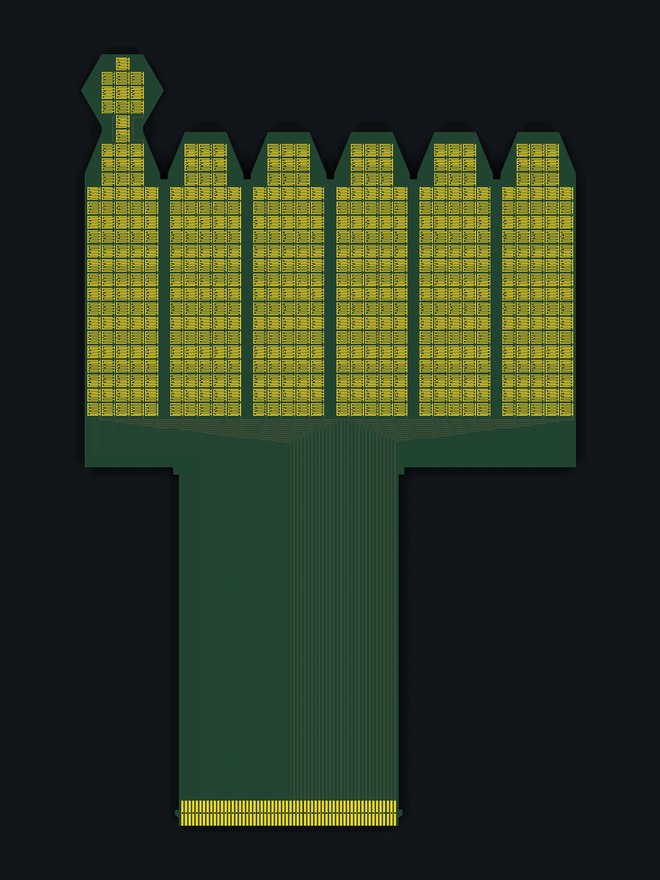
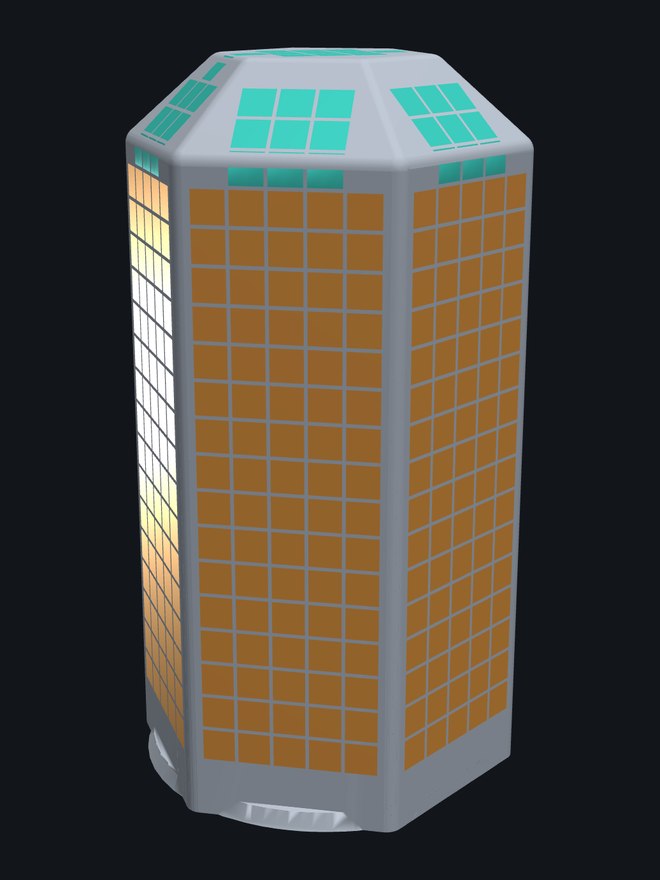
- Prefer hexagonal facets where they fit. A hexagonal facet pattern approximates a rounded surface more closely than a square pattern with the same number of folds. The D'Claw fingertip below uses a hexagonal prism: six side faces, a hexagonal tip, and a leaf on each side that folds over the intervening chamfer. This provides a faceted approximation to the fingertip's curved contact region.
- Restrict coverage to the contact region. The paper's agent-designed Allegro fingertip covers the palmar face plus the first 7 mm of the curved tip cap, and leaves the rest of the cap bare (see Design with an AI agent).
Constraints on the outline and tail
- Select a straight cable edge at least as wide as the connector. On a smooth outline, cut a short flat where the cable should leave.
- Concave outlines require additional routing. Where a notch cuts a row or column in two, the router joins the pieces with a link that runs around the notch, so the row is still one wire. In fixed-outline mode, deep notches reduce the area available for taxels; four copper layers recover most of this coverage by moving row connections to the inner layers.
- Leave room for the tail. The tail runs from the cable edge to the readout board. Set its length in the Tail section so it reaches; print the 1:1 PDF and wrap it around the part to check.
- Paired gripper jaws: design the left jaw, then Mirror it for the right. The cable edge stays on the same physical edge.