Automatically sensorize any surface on a robot
Overview
OpenTac is an ecosystem for highly customizable, scalable, and transferable tactile sensing. We provide tools ranging across sensor design, simulation, cross-sensor transfer, data visualization, tactile policy learning, and more.

OpenTac tactile sensors in action
| Some key results | |
|---|---|
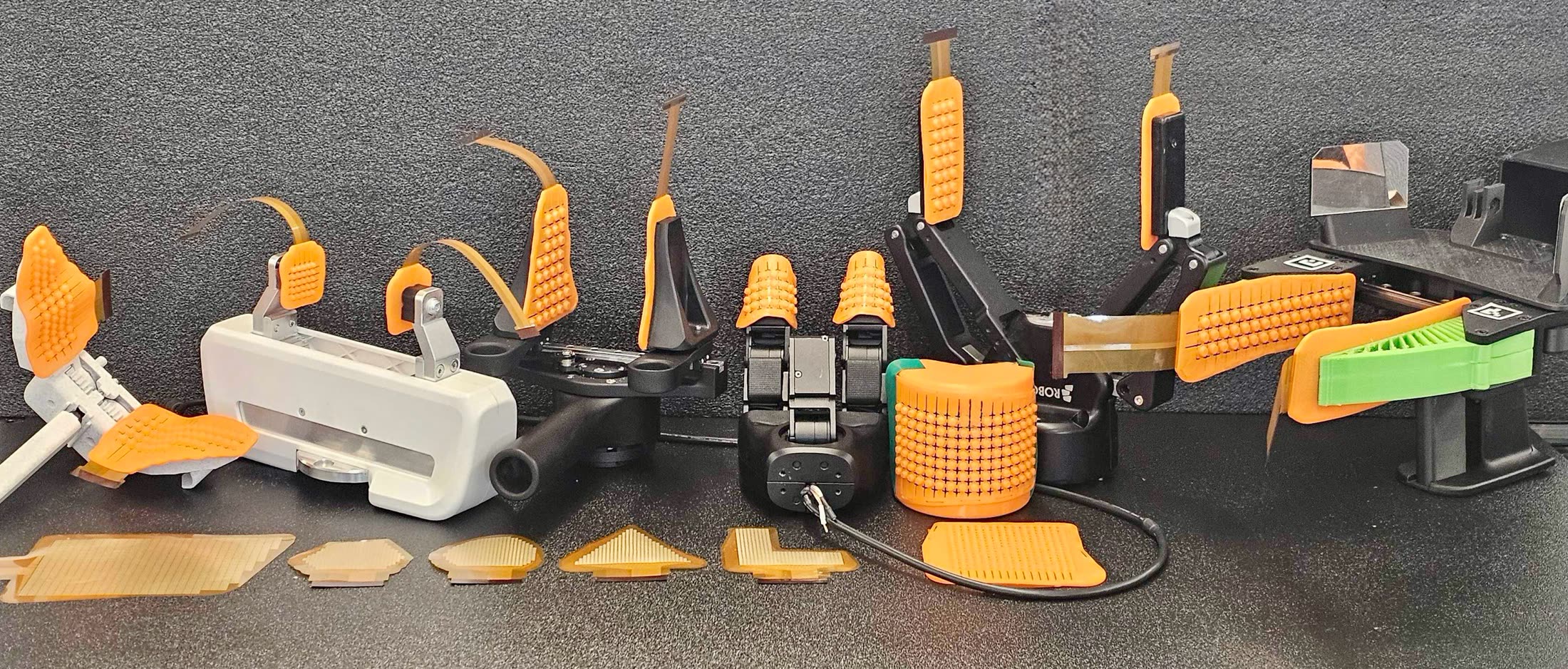
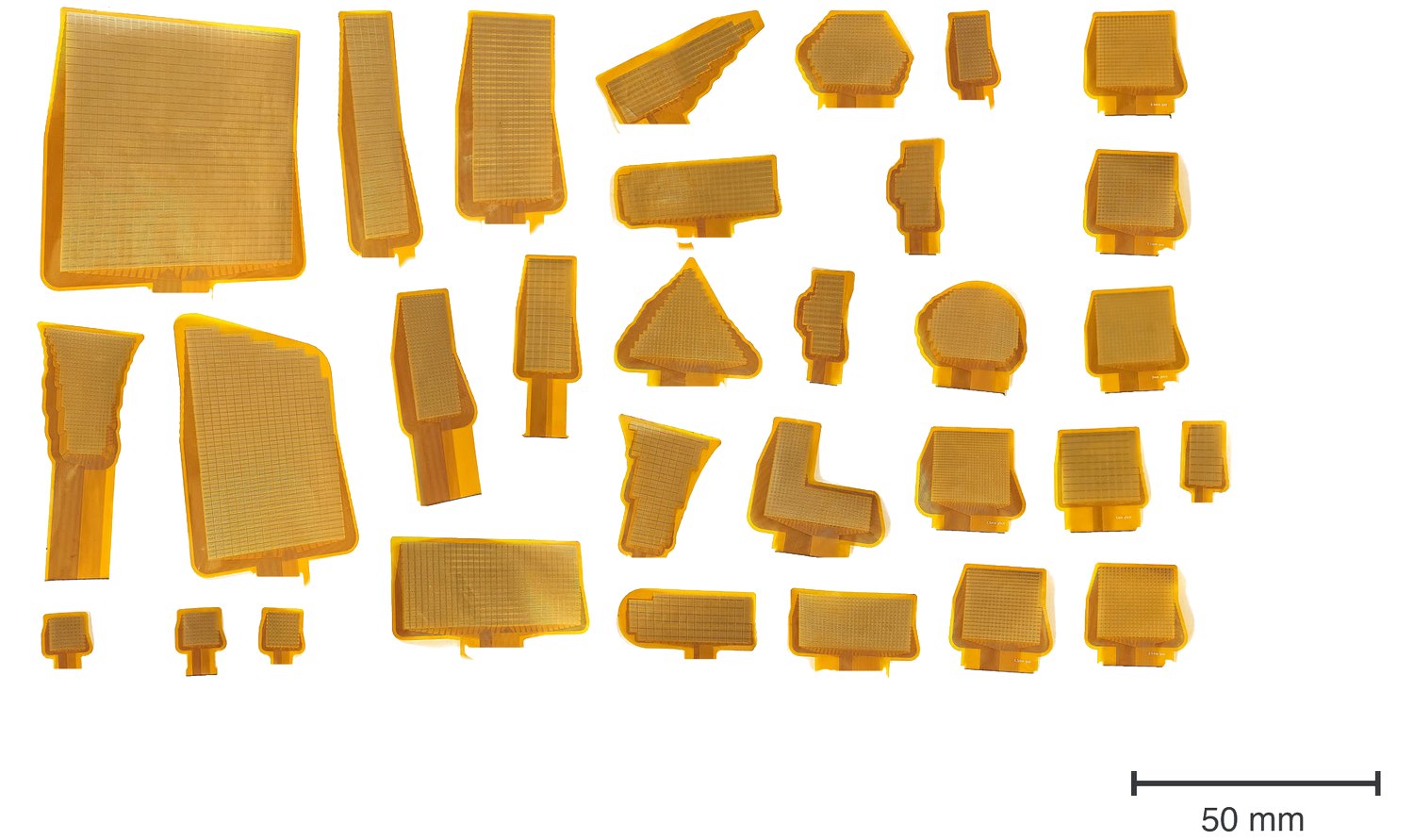
| Design and fabrication | We designed over 30 sensors automatically, using our OpenTac-CAD tool. All these designs passed design-rule checks, and resulted in sensors that were fabricated and tested. |
| Normal and shear force accuracy | Against an OptoForce reference, a bumped 4×4 patch achieves in-sample R² of 0.95, 0.93 and 0.96 for Fx, Fy and Fz. |
| Fast readout | We use an adaptive readout mechanism for sparse and fast scanning. On a 1024-taxel skin, conventional (raster) scanning results in 67 frames/s; while our adaptive method (OpenTac-Xampling) results in 1286 partial frames/s (16 taxels per frame). |
| Policy learning | We use the sensor in tactile policy learning experiments involving contact rich insertion tasks on the SO-101 robot arm and a bimanual YAM robot. We find that shear data is crucial in these tasks. |
| Grasp control | We demonstrate, on a Dexmate Vega-1 Pro robot, that shear aids slip prevention when holding a cup under impulsive loading. |
The OpenTac sensor: normal and shear force from taxel-aligned bumps
Each skin is a flexible PCB with a grid of interdigitated electrodes (taxels), a piezoresistive film on top, and a 3D-printed lid with one soft bump over every 2×2 group of taxels.
Pressing a bump with a downward normal force results in an approximately uniform pressure distribution over the four underlying taxels. Tangential force tilts the bumps, creating a pressure (and consequently, resistance) differential over the underlying taxels, allowing us to estimate shear forces. The sum of the four readings gives the normal force, and their differences give the two shear components. Because each bump is generated with the board and is guaranteed to sit over a known 2×2 group of taxels, both components are computed directly from the four readings and can be calibrated to newtons against a reference sensor.
OpenTac-CAD: Design a sensor for any surface
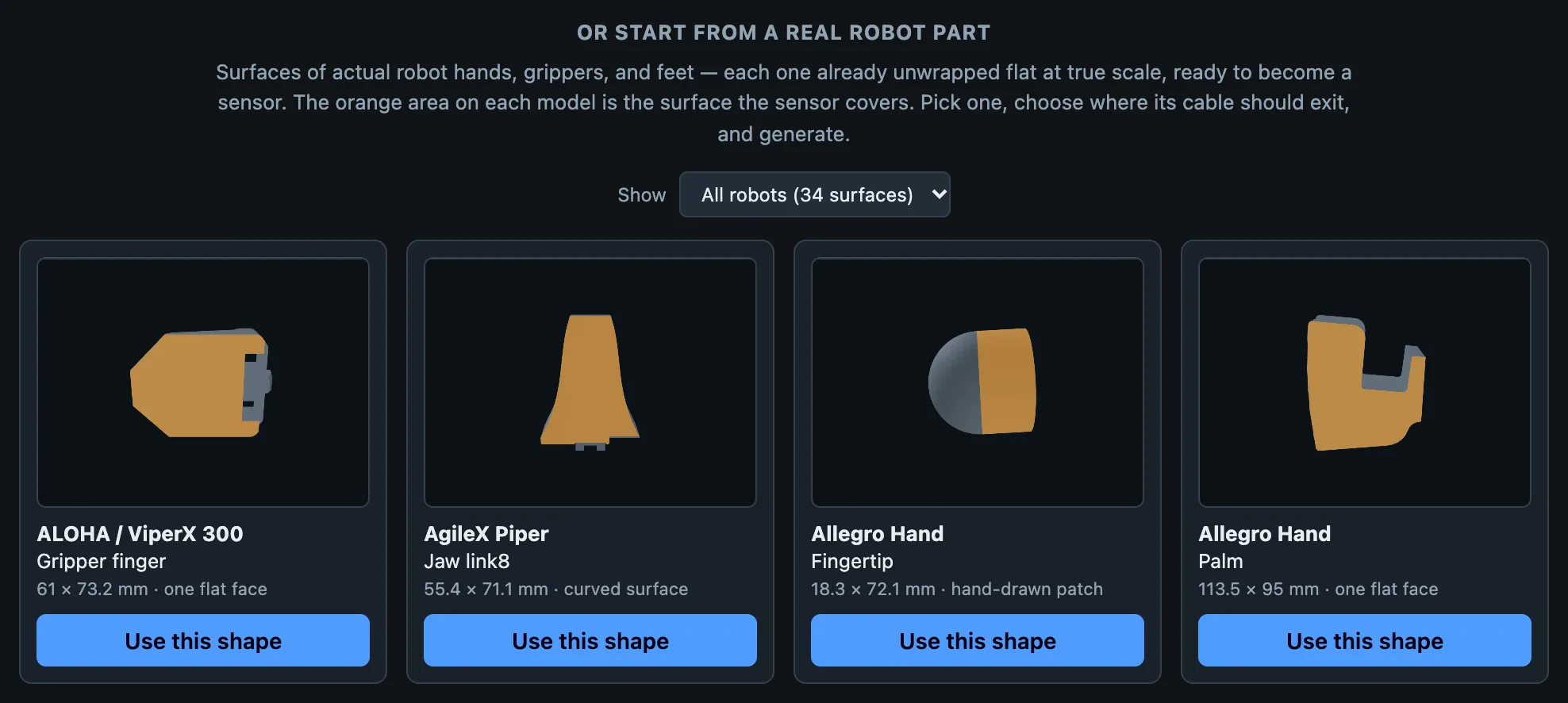
We develop a design tool, OpenTac-CAD, to automatically sensorize new surfaces. Given a 2D outline drawn within our tool, a DXF file, or an STL file, OpenTac-CAD lays out a taxel grid, places and routes wires, designs the connector, and produces a set of Gerber files (for the flexible PCB), a 3D-printable TPU bump case (for shear sensing and alignment), and a manifest file (for sharing sensor metadata across the OpenTac ecosystem). Automatic designs cover more of the target surface than the largest rectangular array that fits, sensorizing 75–93% of the target area on five robot surfaces in 0.7–2.6 s.
Order and assemble an OpenTac sensor
Fabricating an OpenTac sensor involves 3 phases. First, we use the OpenTac-CAD tool to design a sensor for the surface we want to mount it on. Second, we fabricate the flexible PCB from the generated Gerber files, which can be ordered from manufacturers such as JLCPCB or PCBWay, and the readout board from its released fabrication files. Third, we 3D-print a TPU bump sheet (also generated by OpenTac-CAD) using a commodity 3D printer. Assembly is straightforward: the designed case makes it extremely convenient to stack the flex PCB, a piezoresistive film, and the TPU bump grid.
USB readout boards can be re-used across designs
We provide two default readout board designs, based on the number of taxels / wires a sensor has. The 60-pin readout board reads up to 30×30 taxels in 37 × 34.3 mm and plugs straight into USB; a stacked 30-pin pair reads up to 15×15 in a 16 × 22.8 mm footprint. Each board carries an IMU, and 30-pin boards can be daisy-chained over I2C to read a whole hand from one USB port.
The board stores the sensor's layout in its own flash, so after a one-time setup the live view knows where every taxel is. It is possible to customize and design larger readout boards if needed -- we make our gerbers freely available for customization.
Adaptive, kilohertz-rate sampling
OpenTac-Xampling is an adaptive acquisition method that results in fast readouts. Instead of scanning every single taxel when reading out every frame, we leverage the idea that most contact events tend to be sparse. Each frame reads a small search sample of taxels and then grows around any contact until it is fully measured. This enables skipping through large swaths of empty taxels, works on any sensor layout, and, in grow mode, is guaranteed to be no worse than raster scanning.
This helps capture contacts that happen in a few milliseconds (and are missed by raster scanning). E.g., on a 1024-taxel skin, full raster scanning gives 67 frames/s; reading 16 taxels per frame gives 1286 frames/s. Raster scanning caught two of six ~3 ms tennis-ball impacts; budgets of 16 to 256 taxels per frame caught all three impacts tested at each budget.
Simulating OpenTac sensors and cross-sensor transfer
The shared sensor manifest produced by OpenTac-CAD is used to specify mechanical and electronic properties of the sensor. This manifest can be used to create simulation models of the sensor. We build a simulation tool, OpenTac-Sim, which models each bump as a rigid body on a five-degree-of-freedom compliant joint in MuJoCo. We also have a foam-contact model for plain skins (i.e., variants of OpenTac that do not require shear sensing and forgo the TPU bump grid).
OpenTac-Transfer maps calibrated contact between skins of different shape and taxel pitch, in physical coordinates and without paired data. Across four skins it reached a median shape F1 of 0.750, against 0.714 and 0.634 for two array-resizing baselines. For now, OpenTac-Transfer works on flat skins. We welcome contributors extending this module further.
Robot control and manipulation policy learning
We deployed the skins on four robots and a handheld UMI gripper. On an SO-101 arm, we evaluated two contact-rich tasks (peg-in-hole insertion, plug-in-socket insertion). On both tasks, shear sensors had the highest success rates. Particularly on the plug insertion task, shear was crucial -- merely adding normal force did not yield any improvements over proprioception alone. On a bimanual YAM robot, we designed a custom fixture for a lock-key insertion task, and only policies with shear information could achieve substantial success rates.
Note: All our robot learning experiments solely use tactile information and proprioception. No visual information was used.
How to get started
Clone the repository and double-click Start_OpenTac.command (macOS) or Start_OpenTac.bat (Windows); the CAD tool opens in your browser. Or try the hosted version first, no install needed.
To build a sensor from a design, follow the assembly guide: it goes from a paper fit check to the sensor showing live readings.
Working with an AI coding agent? The repository ships a skill for designing sensors: Claude Code loads it automatically, and other agents read AGENTS.md.