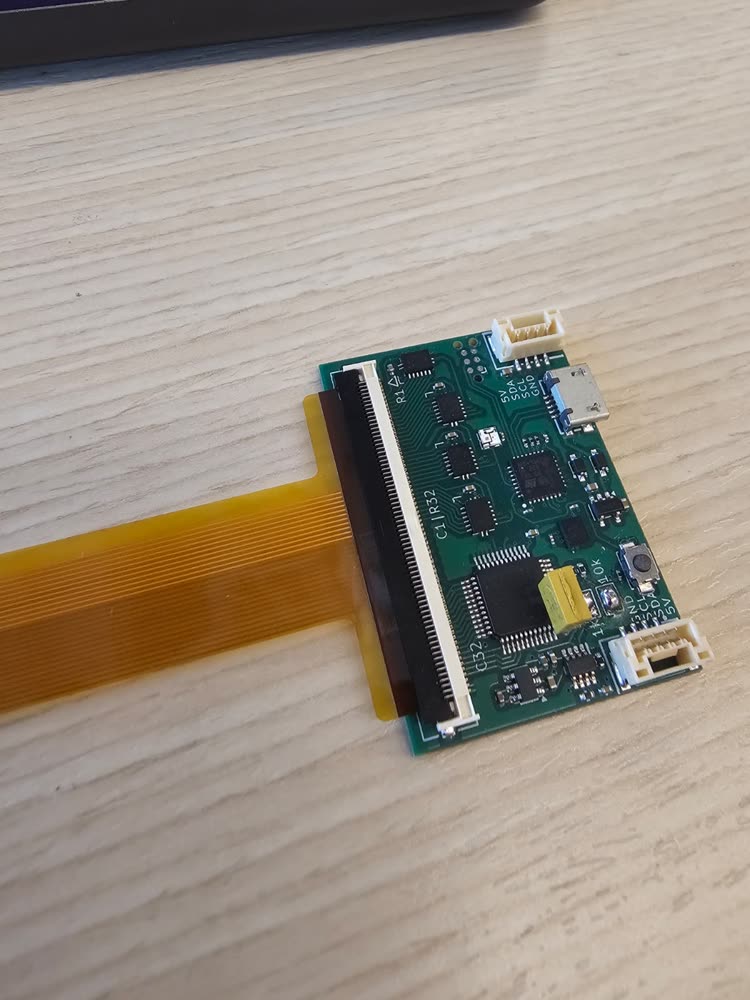
Order the sensor (flex PCB)
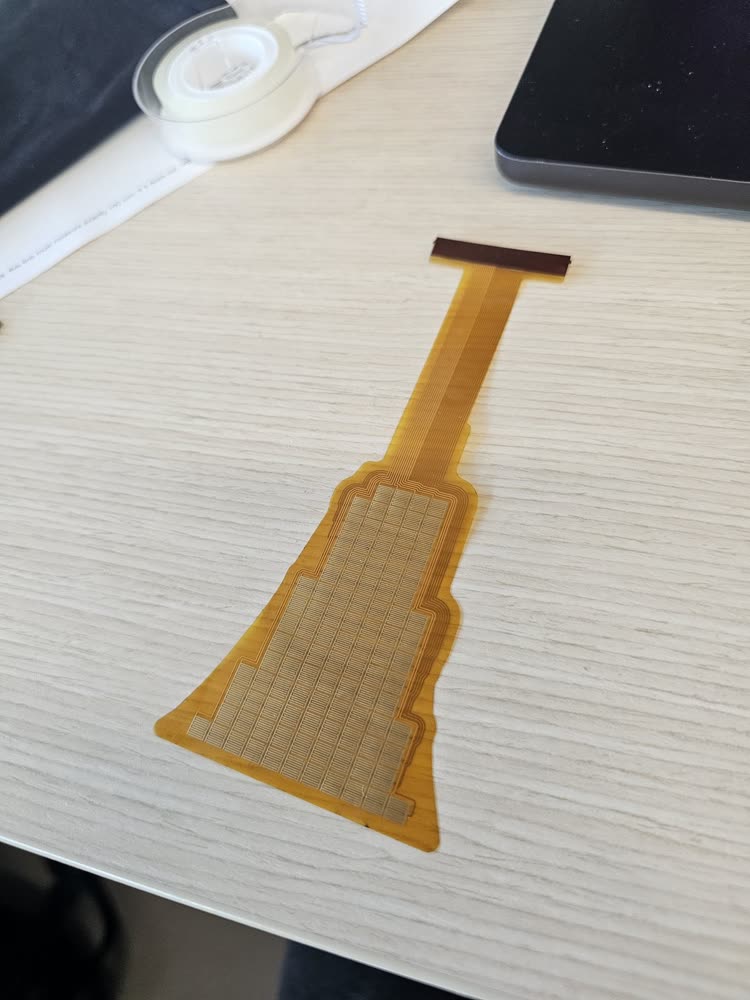
The sensing electrodes and wiring are fabricated as a flexible PCB on a polyimide substrate, approximately 0.1 mm thick. The generated Gerbers can be supplied to a manufacturer that supports flex-PCB fabrication. The procedure below uses JLCPCB, which manufactured the sensors evaluated in the paper.
As of October 2026
Option names, values and screenshots below are from JLCPCB's quote form and capability pages in October 2026; the screenshots were taken on 16 October 2026 with the dense AgileX Piper jaw (agilex-piper-jaw-32x25, 2 layers, 60-pin) from Ready-to-order designs. Board houses change their forms; if something looks different, the flex PCB capabilities page is the reference.
Prepare the fabrication files
- Check the fit on paper first. Print
printable_1to1.pdffrom the export at 100% and hold it against the part (how). - Zip the
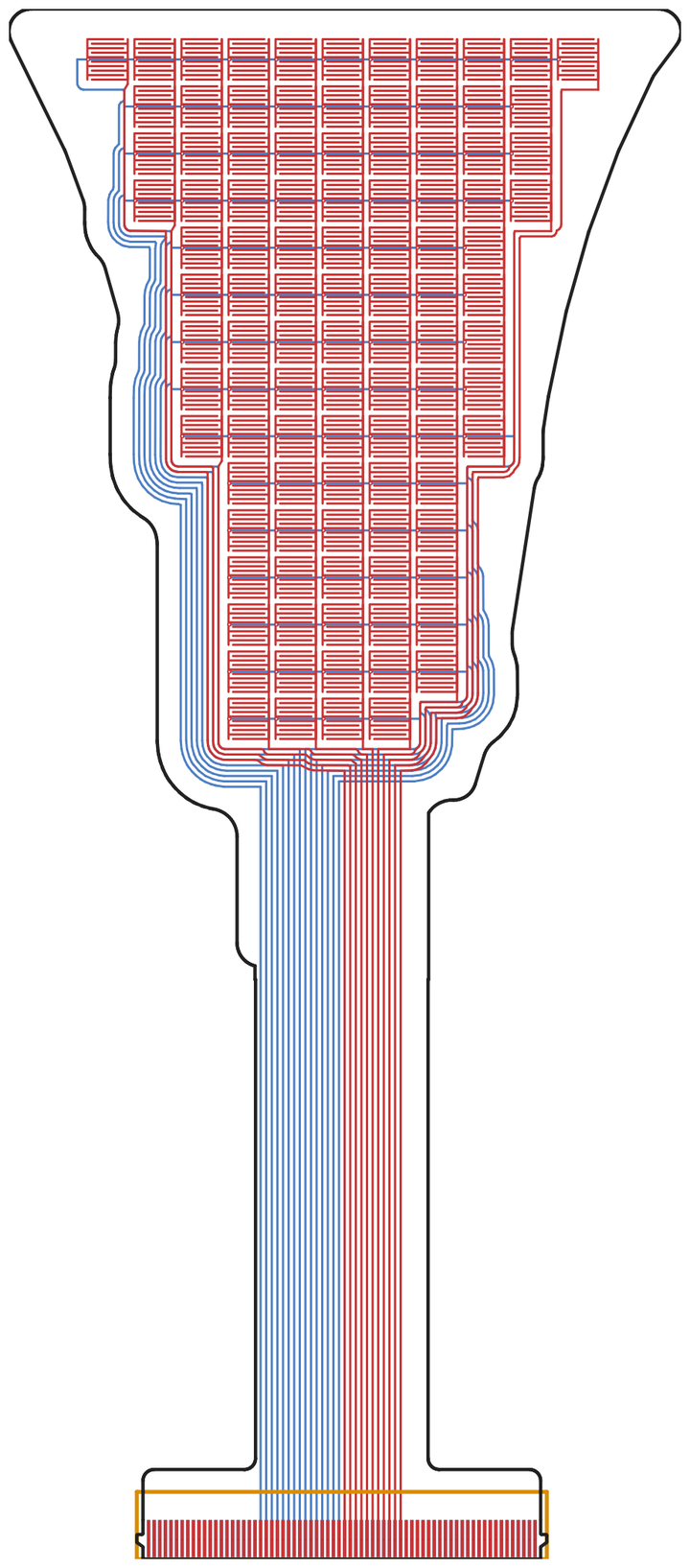
gerber/folder from the export on its own. That ZIP is what you upload. - Look at the Gerbers in a viewer (JLCPCB's own viewer after upload, or KiCad's Gerber viewer). Check the outline, the tail, and the connector end with its stiffener outline.
Configure the PCB order
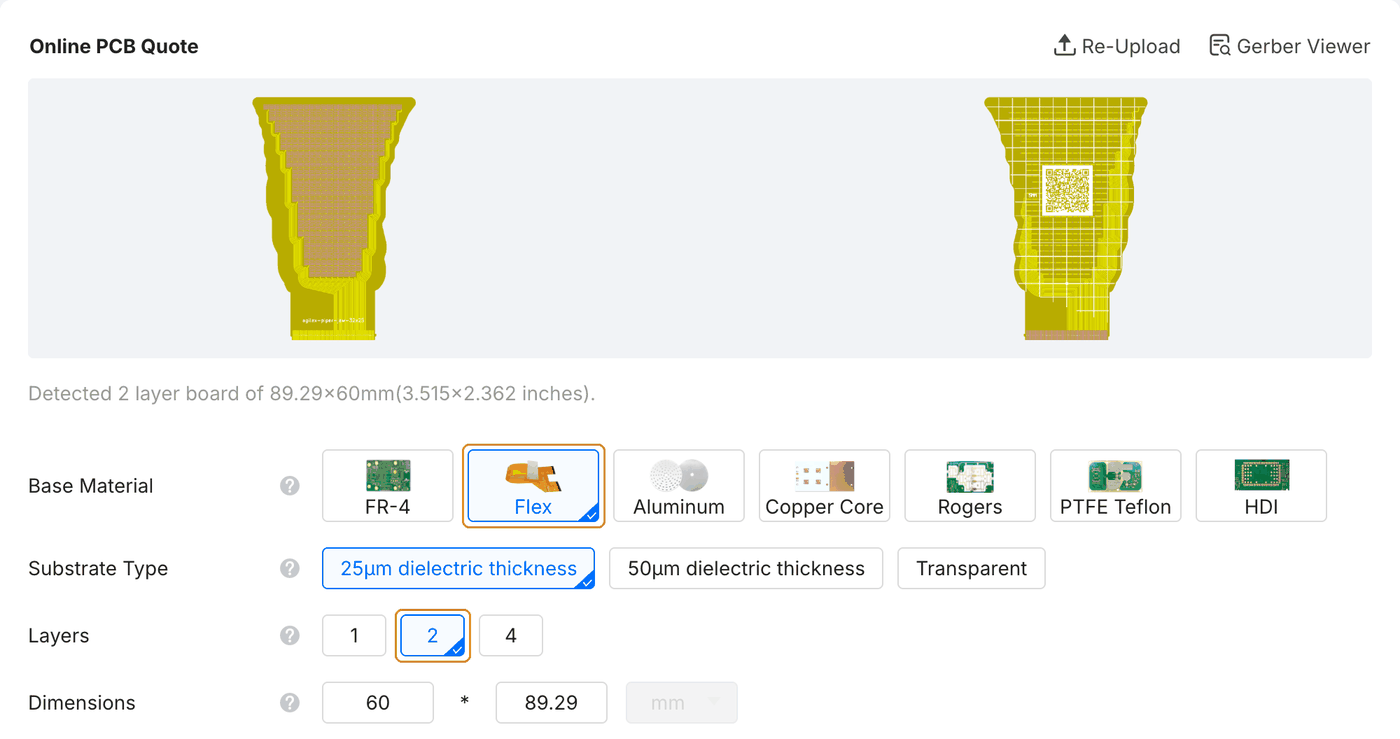
On jlcpcb.com, start a quote and Add gerber file with your ZIP. The board size and the number of layers are read from the files. Leave every option at JLC's default except these:
| Option | Choose | Why |
|---|---|---|
| Base Material | Flex | the sensor is a flex PCB |
| Layers | 2, or 4 for a design made with 4 copper layers | must match the design; set from the files, so check it |
| Gold Fingers | Yes | the connector end of the tail |
| Gold Fingers Thickness | 0.3 mm | total thickness of the connector end; see Stiffener |
| Stiffener | Polyimide | selected by itself when Gold Fingers is Yes |
| Polyimide Thickness | 0.20mm for a 2-layer sensor | what our sensors use; see below |
For the two-layer boards shown here, we retain the quoted defaults for substrate, board thickness (0.11 mm), coverlay, surface finish and copper.
Stiffener
The readout boards use a Molex 505110 ZIF connector: a bottom-contact connector that takes a flex end 0.30 mm thick (±0.05 mm). The sensor tail's contacts are on its bottom copper; the export opens the solder mask there, at the connector fingers only, and leaves the top covered. A bare 2-layer flex is much thinner than 0.3 mm, so the connector end gets a polyimide (PI) stiffener on the top of the tail (the taxel side), opposite the contacts.
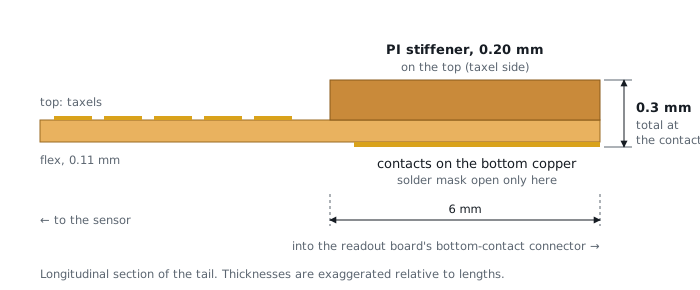
The exported drawing layers specify the stiffener geometry and placement:
board-User_Drawings.gbrdraws the stiffener outline: 6 mm deep and as wide as the connector end (31.6 mm for the 60-pin connector, 16.6 mm for the 30-pin).board-User_Comments.gbrcarries the note, for example31.6x6 PI stiffener on TOP (taxel side), T = 0.3 total, contacts on BOTTOM.
Specify these requirements in the order form as well; the drawing layers do not automatically populate the stiffener options.
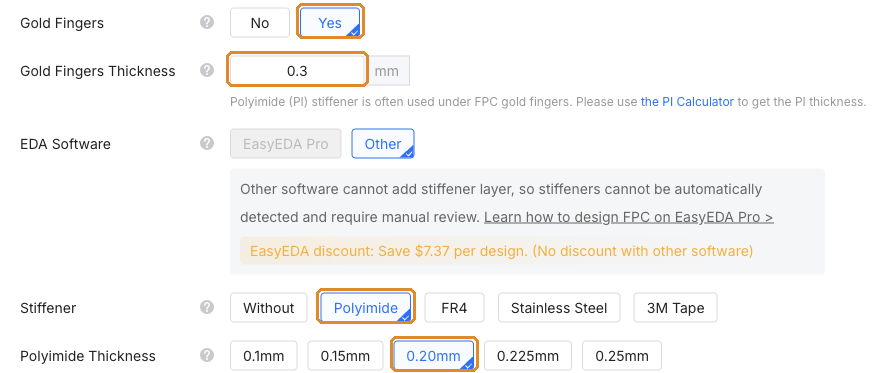
Gold fingers. Set Gold Fingers to Yes and Gold Fingers Thickness to 0.3 mm, the total at the fingers. Choosing Yes switches Stiffener to Polyimide and adds a Polyimide Thickness row. The total connector thickness does not automatically determine the PI thickness field; select it separately.
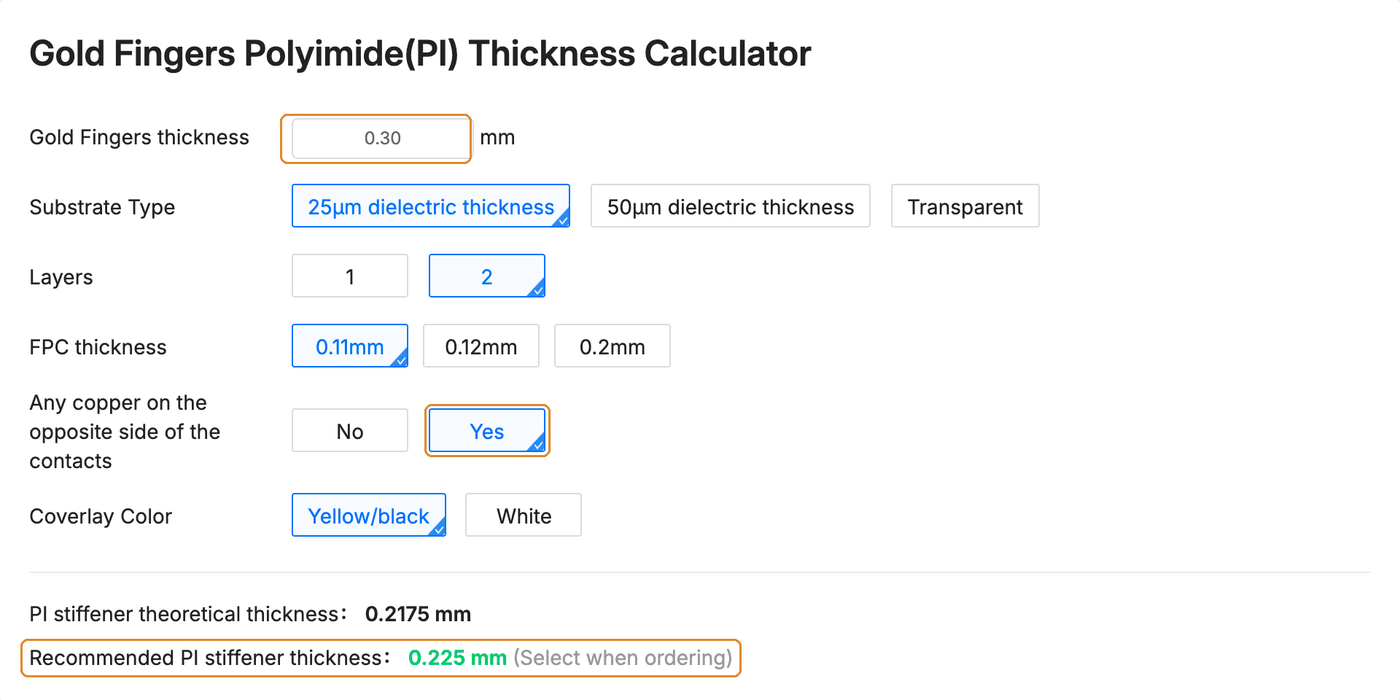
Polyimide thickness. Use JLC's gold-finger PI thickness calculator, also linked under the thickness box. For a 2-layer sensor at the default 0.11 mm, answer Yes to Any copper on the opposite side of the contacts: the export puts the connector pads on both copper layers. It then recommends 0.225 mm. We order 0.20 mm, which is what the sensors in the paper were made with; with the 0.11 mm flex it comes to about 0.3 mm at the fingers. The calculator covers 1- and 2-layer flex only; for a 4-layer sensor, ask JLC which PI thickness gives 0.3 mm.
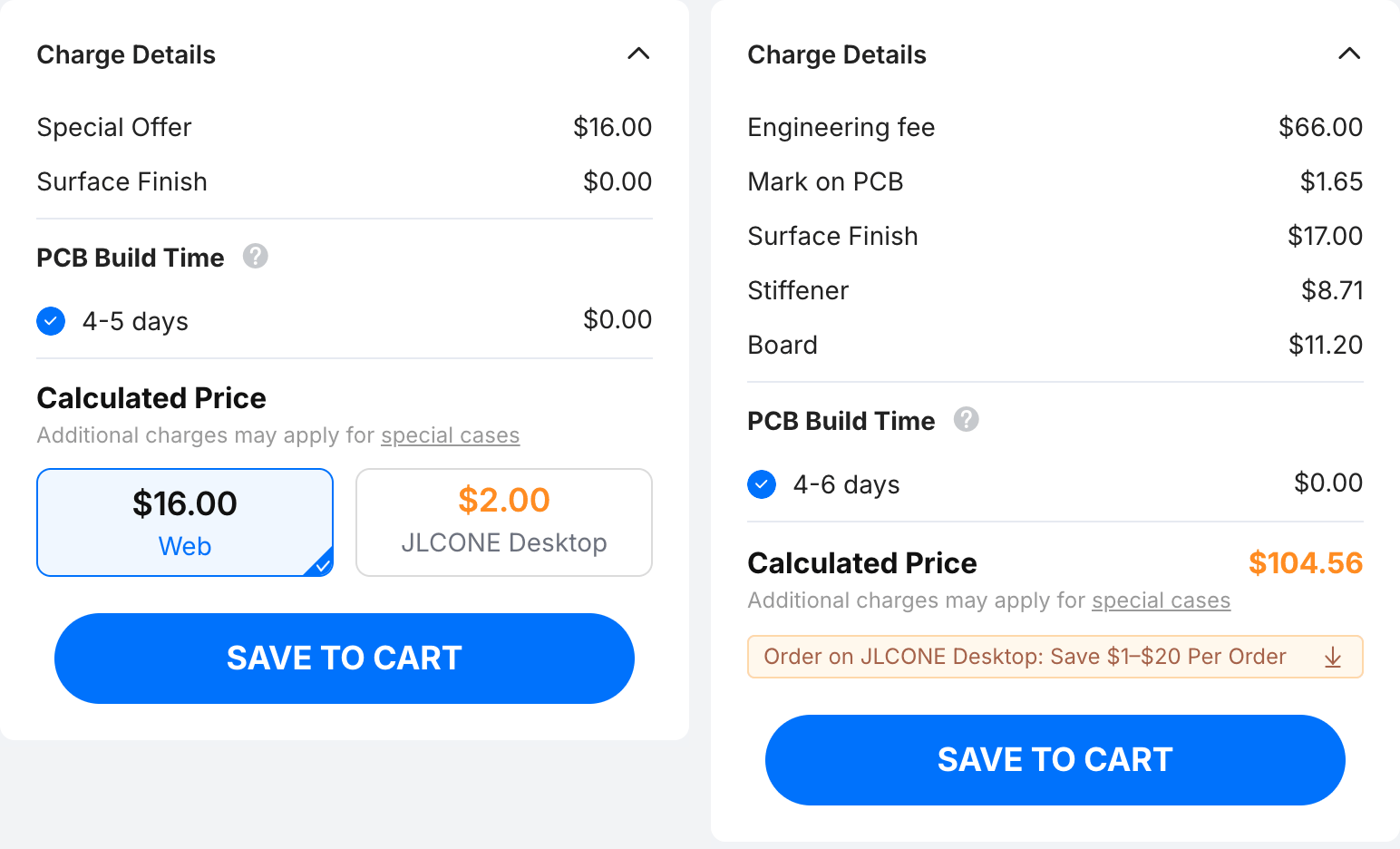
Fabrication cost: two versus four layers
A 4-layer flex costs noticeably more than a 2-layer one at the same size. Design on 2 layers unless 4 layers are what make your sensor fit (see Two or four copper layers). The quote updates as you change the options, so compare both before deciding.
Respond to fabrication questions
After you pay, JLCPCB's engineers review the files and sometimes send an engineering question (EQ) before production. Answer it on the order page; production waits until you do. Questions we have seen or expect:
- "Which side are the gold fingers on?" / "The stiffener overlaps the finger area; is this intended?"
- The contacts are on the bottom side; the mask is open there, at the fingers only. The PI stiffener goes on the opposite side, the top, over the connector area. That is intended: the connector contacts the bottom of the flex.
- "Which side does the stiffener go on?"
- The top (the taxel side), opposite the contacts, so that the connector end is 0.3 mm thick in total.
- "Please confirm the stiffener size / thickness."
- Size as drawn on User_Drawings (6 mm by the connector width), polyimide (0.20 mm on a 2-layer board), total thickness 0.3 mm at the fingers.
- "There is text or a drawing on a user layer; should it be fabricated?"
- No. User_Drawings and User_Comments are notes for the stiffener; they are not copper, mask or silkscreen.
- "Shall we retain or remove the solder mask openings of vias on the bottom side?" / "Almost all holes have solder mask openings; are they via openings?"
- Via openings on the bottom are not needed: the export opens the bottom mask only at the gold fingers. If JLC still finds any, remove them. On the top, each via sits inside its taxel's opening and is exposed with the electrodes; that is intended.
- "Pad-to-pad spacing is under 0.18 mm; solder bridging risk in SMT."
- Produce according to the file. The sensor has no SMT assembly, and the electrode gaps (0.2 mm by default) are intended.
- "Opening-to-opening spacing is under 0.3 mm and cannot be made with the coverlay process."
- The export makes one coverlay opening per taxel, at least 0.3 mm from the next. If asked, keep each taxel's opening as drawn: the exposed electrodes are intended.
Inspect the fabricated boards
Check the connector end against the readout board's connector before assembly: it should slide in under the open latch with light force. Then assemble.